
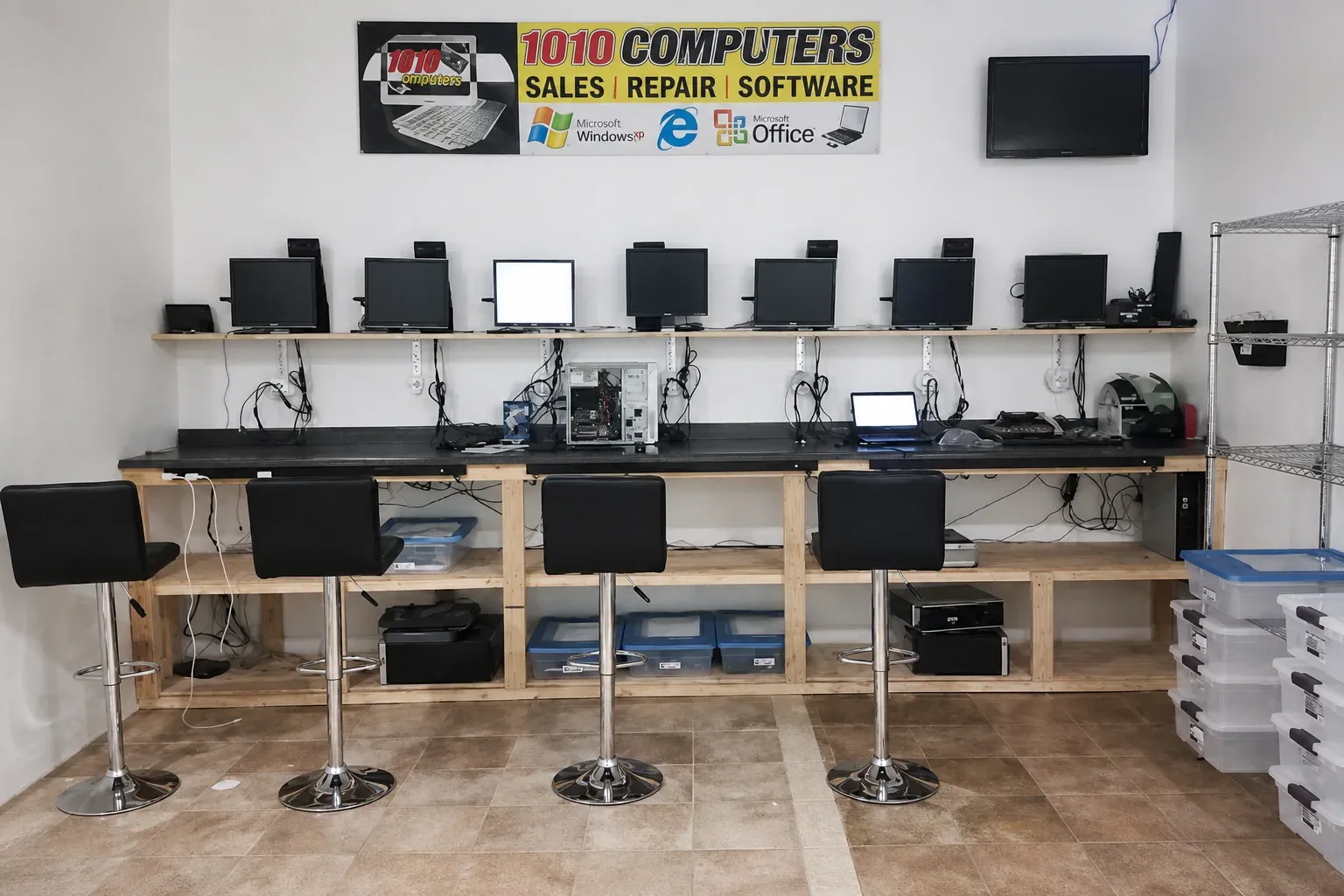
1010Computers | Computer Repair & IT Support

Boom’s chief test pilot on the thrill and challenge of going supersonic (again)

“There’s nothing like it out there,” says Commander Bill “Doc” Shoemaker (Ret.), chief test pilot for Boom Supersonic, the startup aiming to make a passenger airliner for transoceanic flights at speeds (as you might guess from the name) faster than sound. Shoemaker, a former Navy aviator, fighter pilot and aeronautics engineer, will have the daunting privilege of being the first to fly the company’s proof of concept single-seater during tests next year.

That there’s nothing like Boom is not exactly a controversial opinion — there aren’t a lot of companies out there trying to resurrect supersonic flight. The Concorde is, after all, so well known a cautionary tale of engineering ambition exceeding the constraints of reality that it verges on hackneyed. But Shoemaker isn’t a Silicon Valley startup commentator, he’s a test pilot, and his perspective is that of someone who has worked on and flown dozens of aircraft, including supersonic ones, over his decades-long career.

The first question I asked (though not entirely a serious one) when I had a chance to chat with Shoemaker was whether it was a bit premature to have a chief pilot at a company that doesn’t yet have a plane to fly.

“There’s a good reason to have a pilot at this point,” Shoemaker said. As he delicately put it: “Among the team, the pilots are… uniquely committed to the outcome.”

Among other things, test pilots seem to have a knack for understatement. But it’s certainly true.

“You want the operator’s perspective, like how to build the cockpit, how you’ll operate the aircraft. The designer will come to me for that perspective — he’ll say, ‘how can I tweak the design to be more suitable for you?’ You want that cross-industry expertise.”

Boom is making a supersonic airliner, but it’s still mostly a paper plane, if you will. The company’s test craft, the XB-1, however, is being built and should be taking to the air about a year from now. That’s where many of the components, materials and design choices will be flight-proven. Interestingly, however, actually flying the test craft is a rather analog affair.

“The aircraft is definitely designed around a philosophy, which is ‘keep it simple.’ We’re not trying to introduce any more tech than we really need to. The flight controls are not fly-by-wire, they’re mechanical,” explained Shoemaker. “It’s going to be an interesting airplane to fly. It goes from 150 knots up to Mach 2.2, and up to 45,000 feet. It’ll be a challenge because of that mechanical stuff, but with what we’re trying to do, keeping it simple makes a lot of sense.”

That’s not to say nothing has changed over the last few decades of aeronautics, a topic in which, if you’ll recall, Shoemaker has a doctorate. Although he said he considers his role as being separate from the flight test engineers who put together the craft he’s flown, he’s still an important part of the team.

He suggested a few areas where he’s seen or expects improvements to the aircraft creation and testing process.

“One is composite materials. That’s huge,” he said, referring to things like carbon fiber and more exotic weaves and alloys that combine a number of desirable characteristics. “The strength and weight improvements offer new opportunities. You know, the Concorde would contract like a foot during flight temperatures, then expand again. Composites don’t do that. All these things make the aircraft lighter, faster and stronger.”

Second, he briefly noted, engine technology these days is “brisk,” especially combined with the materials advances.

“Last,” he said, “the Concorde design was wind-tunnel based, but a lot of the work we do is computation. We can do all the testing they did for the Concorde in a couple days.”

Wind tunnels are still involved, of course, but the models are so good that it’s more for verification than testing. But it also lets designers speed through ideas, evaluating but skipping wild ones without wasting time: “You can look at all these weird corner cases, and explore those very quickly.”

Basic advances in tech mean the team can avoid quirks like the Concorde’s drooping nose, which was there so that pilots could see the runway. “You can imagine all the mechanical complexity that comes with that,” said Shoemaker. “For us we’ll be going with a direct camera or some kind of vision system that’s integrated with all the systems.”

“The airliner itself,” he said, “will be highly augmented [compared to the test jet]. It’ll be fly-by-wire. Its handling qualities are really quite benign across the envelope. It’s surprising, but the way the aircraft handles on one side of the speed of sound isn’t so different from how it handles on the other side.”

Ultimately Shoemaker was optimistic about the whole enterprise, both the company and the prospect of supersonic passenger flight.

“As far as an ambitious project with an ambitious goal, there’s nothing like it out there,” he said. “That’s the value and reward of working with a team this size, a team that really believes they can reinvent and do it better. And it’s well within what we can do with technology — we can do it better than Concorde did, possibly by orders of magnitude.”

As for his part, the test flights set to take place next year, he’s more than a little excited.

“It’ll be a challenge to fly for sure — but it’ll be nice to go that fast again.”

Powered by WPeMatico

Five security settings in iOS 12 you should change right now

iOS 12, Apple’s latest mobile software for iPhone and iPad, is finally out. The new software packs in a bunch of new security and privacy features you’ve probably already heard about.

Here’s what you need to do to take advantage of the new settings and lock down your device.

1. Turn on USB Restricted Mode to make hacking more difficult

This difficult-to-find new feature prevents any accessories from connecting to your device — like USB cables and headphones — when your iPhone or iPad has been locked for more than an hour. That prevents police and hackers alike from using tools to bypass your lock screen passcode and get your data.

Go to Settings > Touch ID & Passcode and type in your passcode. Then, scroll down and ensure that USB Accessories are not permitted on the lock screen, so make sure the setting is Off. (On an iPhone X, check your Face ID settings instead.)

2. Make sure automatic iOS updates are turned on

Every time your iPhone or iPad updates, it comes with a slew of security patches to prevent crashes or data theft. Yet, how often do you update your phone? Most don’t bother unless it’s a major update. Now, iOS 12 will update your device behind the scenes, saving you downtime. Just make sure you switch it on.

Go to Settings > General > Software Update and turn on automatic updates.

3. Set a stronger device passcode

iOS has gotten better in recent years with passcodes. For years, it was a four-digit code by default, and now it’s six-digits. That makes it far more difficult to run through every combination — known as brute-forcing.

But did you know that you can set a number-only code of any length? Eight-digits, twelve — even more — and it keeps the number keypad on the lock screen so you don’t have to fiddle around with the keyboard.

Go to Settings > Touch ID & Passcode and enter your passcode. Then, go to Change password and, from the options, set a Custom Numeric Code.

4. Now, switch on two-factor authentication

Two-factor is one of the best ways to keep your account safe. If someone steals your password, they still need your phone to break into your account. For years, two-factor has been cumbersome and annoying. Now, iOS 12 has a new feature that auto-fills the code, so it takes the frustration step out of the equation — so you have no excuse.

You may be asked to switch on two-factor when you set up your phone. You can also go to Settings and tap your name, then go to Password & Security. Just tap Turn on Two-Factor Authentication and follow the prompts.

5. While you’re here… change your reused passwords

iOS 12’s password manager has a new feature: password auditing. If it finds you’ve used the same password on multiple sites, it will warn you and advise you to change those passwords. It prevents password reuse attacks (known as “credential stuffing“) that hackers use to break into multiple sites and services using the same username and password.

Go to Settings > Passwords & Accounts > Website & App Passwords and enter your passcode. You’ll see a small warning symbol next to each account that recognizes a reused password. One tap of the Change Password on Website button and you’re done.

Powered by WPeMatico

You can try Siri Shortcuts today in these iOS 12-ready apps

With today’s release of iOS 12, Apple is also rolling out a new feature called Siri Shortcuts, which allows users to create their own voice commands to take actions in apps. For example, you could create a shortcuts for ordering your morning coffee, playing your favorite music, getting your daily schedule, and much more. In preparation for the iOS 12 launch, a number of app developers have already added support for Siri Shortcuts – sometimes even through a dedicated button in their app – in order to help nudge users towards adoption.

You can configure Siri Shortcuts in iOS Settings or create more complex voice commands using Apple’s new Shortcuts app, also out today. But these are things that will appeal more to power users – at least for the time being.

Mainstream users, meanwhile, will likely come across Siri Shortcuts for the first time when using their favorite iOS apps.

With iOS 12, app developers can integrate an “Add to Siri” button right in their app’s interface for common tasks that their app can perform – like playing a favorite playlist, for instance.

When a user taps this button, they’ll be directed to a screen where they can record their own custom voice command to launch whatever task or action the developer is suggesting.

In time, a number of apps will roll out this functionality.

But if you’re keen to play with it today, on day one, here are some of the early adopters of this feature.

Pandora

A new playlist isn’t the only update Pandora is rolling out today – it’s also one of the first apps to launch a Siri Shortcuts button. With the app’s iOS 12-optimized update, users can head to the Settings in the Pandora app and tap “Add to Siri.” They can then choose a specific station, album, or playlist and record a custom phrase to say the next time they want to hear it.

Streaks

Habit-tracker Streaks is also among the first to include an “Add to Siri” button. When tapped, users can record custom phrases to complete their tasks. That way you can say things in a more natural style – like, “Hey Siri, I drank my water,” or “I ate healthy today.”

PCalc

Always an early adopter, the popular calculator app has added a Siri Shortcut button that will let you record voice commands for any common activity in the app, like converting currencies, setting the clipboard, opening conversions, and more.

PCalc 3.8 is available on the store now! Full support for iOS 12 and Siri Shortcuts, plus all the new devices.

Also includes my whimsy for this year, a lovely set of animated iMessage stickers by @dlanham featuring Pascal, the PCalc panda.

Get it here: https://t.co/ATSqnOi7BS pic.twitter.com/e7uunS7PIw

— James Thomson (@jamesthomson) September 15, 2018

CARROT Weather

The funny and sarcastic weather application CARROT Weather added support for Siri Shortcuts so you can ask for a short-term or long-term forecast for your location or any other location you’ve saved in the app.

The Weather Channel

If you prefer a more traditional weather app, The Weather Channel is also out with Siri Shortcuts support today, too, so you can check your forecast with a voice command.

Things

To do list app Things represents a good use case for Siri Shortcuts, as you can create voice commands for common actions you take in the app, then have them also appear on your Lock screen. For instance, you could ask Siri to “Show Today” or “Add To-Do.” You can even record shortcuts for things you add to your to-do list app a lot, like lists of movies you want to see or errands you need to run.

When you say “Hey Siri, add an errand,” Things will launch a new to-do with everything filled in, including the tags, so all you have to do is enter the title and save.

There are also ready-made to-do’s available for things that are always the same, like a packing list or a favorite recipe. And using the new Shortcuts app, you can combine multiple shortcuts from different apps into one workflow.


Sky Guide

Longtime favorite app Sky Guide, a map to the night sky, now lets you ask questions about the stars using your voice. With Siri Shortcuts, you can say “Hey Siri, what start is that?” (or something else you choose) after pointing your phone at a bright star, planet, or satellite.

Siri Shortcuts is already better than I was expecting. #siri #iOS12@viticci⁩ SkyGuide has a clever implementation. pic.twitter.com/lbsS3SaYkR

— Alan Miller (@rosewoodat5th) September 17, 2018

Citymapper

The handy transit navigation app has also just rolled out support for Siri Shortcuts with an option that will let you say things like “Hey Siri, check my commute,” to have Siri read out info on disruptions, departures and your expected ETA. You can also ask it to route your way home, check departures, and more.

Google News

An unexpected addition, all things considered – but this top news application is already live with Siri Shortcuts support, allowing readers to use voice command to navigate to their favorite news sources and other frequent destinations.

TripIt

The top-rated travel planner is ready to support Siri Shortcuts today, allowing you to configure custom voice commands for common travel tasks like getting your flight details or asking about your other travel plans.

Trello

This top organizer app lets you use Siri Shortcuts to create custom phrases to open up specific cards or boards you’ve created, with its iOS 12-ready update.

Monster Job Search

This job search app will save you from repeatedly typing in the same queries, by allowing you to create a Siri Shortcut for your favorite searches instead.

Bear

This focused and elegant note-taking app will now let you create notes with the sound of your voice – just head to Settings, Siri & Search, All Shortcuts to start building your own custom commands.

Ulysses

Writing editor Ulysses lets you use Shortcuts to open sheets and groups, create new sheets, and more.

Powered by WPeMatico

11 neat hidden features in iOS 12

iOS 12 is finally here. And the update is packed with many improvements. In particular, Apple has tucked away many little features that you won’t see right away.

If you want to impress all your friends with your mad iOS skills, here is a list of some of these features. I also wrote a review of iOS 12 if you want to learn more about all the changes coming with iOS 12.

#1: Is it a phone? Is it a trackpad?

Many people don’t know about this superpower, but you can move around an email or text message by turning your phone into a trackpad. On previous versions of iOS, you had to use 3D Touch.

It is now much easier to access as you just needs to tap and hold on the space bar of the keyboard. Goodbye, Gboard!

#2: Second Face ID

RIP, Touch ID. But Face ID is just getting started. Apple knows that you want to let your spouse or friend unlock your phone. Sure, you can always share your passcode. But it’s less secure and people always forget passcodes.

Head over to Settings > Face ID & Passcode > Set Up an Alternate Appearance. Ta-da, second face acquired.

#3: Do Not Disturb a bit, a lot or forever

If you don’t use Do Not Disturb because you always forget to turn it off, this is a thing of the past. You can now use 3D Touch in Control Center to turn on Do Not Disturb for an hour, until this evening (or the next morning), until the end of an event or until you leave a location.

Don’t forget, it’s one of the most powerful tools when it comes to using your phone less.

#4: Quiet please

Even when you don’t have Do Not Disturb on, chances are you receive way too many notifications. On the lock screen, swipe on a notification to turn on “Deliver Quietly”. Notifications won’t make your phone buzz and will skip the lock screen altogether. The only way to view them is by manually pulling up the Notification Center. I already use it for most news apps as I don’t need to see the headlines right away. And everything feels quieter.

#5: AirPods as super ears

If you want to be more like Jack Dorsey, go to Settings > Control Center > Customize and add “Hearing”. This feature called Live Listen lets you turn your AirPods into hearing aid devices.

If you have a hard time listening to conversations in some crowded environment, this is an important feature.

This is cool pic.twitter.com/tfGJKDmKWn

— jack (@jack) September 15, 2018

#6: You forgot your password but it’s fine

Apple has improved how password managers work on iOS 12. If you’re already using a third-party password manager, such as 1Password, LastPass or Secrets, your life is about to become so much easier.

Head over to Settings > Passwords & Accounts > AutoFill Passwords. You’ll be able to log into websites and accounts using your data from your third-party password manager without having to open it.

Well, this is exciting: @lastpass keyboard integration in iOS 12! pic.twitter.com/5BQ3gTIdpa

— Matt Hauger (@matthauger) September 14, 2018

#7: 637-201

As for one-time codes, if you still rely on text messages (and you shouldn’t), iOS will scan your incoming text messages to automatically copy and paste your one-time codes. Neat!

#8: Drag and drop that Memoji

Yay, Memojis are here! Sure, you can record voice messages and send them in Messages. But don’t forget to take selfies with your Memoji.

You can also drag and drop your Memoji on top of a photo or a message. Emojis are so 2017.

#9: Favicons in Safari

On your iPad, you can finally turn on favicons for browser tabs — those tiny little icons in the tab bar. This way, you’ll be able to find what you’re looking for much more easily. Head over to Settings > Safari.

#10: Is it too late to say sorry?

It’s so annoying when you keep hearing a song in your head but you can’t remember the name of the song. Maybe you just know that one line of the lyrics.

You can now type those lyrics in Apple Music. The service now lets you search by lyrics.

#11: Those sweet, sweet Shortcuts

The most powerful feature of iOS 12 is clearly Siri Shortcuts. Combined with Apple’s Shortcuts app, you can trigger chains of actions with a simple phrase.

The Shortcuts app is available for free in the App Store. Time to think about your own morning routine!

I’ve been busy building some advanced examples for the Shortcuts app in iOS 12.

My Morning Routine shortcut, plus many others, will be coming Monday alongside my iOS 12 review.

I can’t wait to share. It’s going to be fun. 😎pic.twitter.com/4maWP5BJrX

— Federico Viticci (@viticci) September 14, 2018

Powered by WPeMatico

Lucid Motors secures $1 billion from Saudi wealth fund to launch the Air

Saudi Arabia’s sovereign wealth fund is investing $1 billion into Lucid Motors, capital that will finance the commercial launch of the startup’s first electric vehicle.

The agreement comes just six weeks after Tesla CEO Elon Musk tweeted that he was considering taking Tesla private at $420 a share and had secured the proper funding to make the leap. Musk suggested that Saudi’s wealth fund, which already owns almost 5 percent of Tesla stock, was interested in backing the company’s move from public to private.

Tesla’s board and Musk have since quashed those plans to go private.

The investment came at a crucial moment for Lucid Motors, which has struggled recently to raise the funds needed to produce its luxury EV, the Lucid Air. The funding will be used to complete engineering development and testing of the Lucid Air, construct its factory in Casa Grande, Arizona, begin the global rollout of its retail strategy starting in North America and enter production, the company said.

Lucid Motors was founded 10 years ago with a different name and mission. The company, called  Atieva at the time, was focused on developing electric car battery technology. It then shifted to producing electric cars and changed its name in 2016.

The company seemed to have momentum at the time. Lucid Motors had successfully raised money, unveiled the Air, announced plans to build a $700 million factory in Arizona, signed a deal with Samsung SDI to supply it with lithium-ion batteries and moved into spacious new digs. But building a factory is expensive, and the company fell silent for nearly a year as it sought funding to produce the Air.

It’s also a notable investment for the Saudi kingdom, which under its Vision 2030 plan is seeking to diversify its economy away from fossil fuels. In the past year, the Saudi Public Investment Fund has invested in renewable energy, established and developed recycling companies and energy efficiency services, the kingdom noted in a release.

Powered by WPeMatico

iOS 12 makes your phone faster than ever

iOS 12 could be summed up in one feature: speed. The rest is just a footnote, especially when you compare iOS 12 to iOS 11.

You may remember that iOS 11 was filled with many new features, especially on the iPad. But it was also the buggiest release to date. Even the Calculator app wasn’t working properly. And let’s not forget about messages arriving out of order or your keyboard replacing the letter “it” with “I.T”.

Like many of you, I’ve been using a beta version of iOS 12 for the past few weeks. Even though it was just a beta, iOS 12 is by far the fastest version of iOS of all time. And Apple just released iOS 12.0 today. Here’s a quick rundown of what’s new in iOS 12.

Low level

If you are reading this article on an iPhone or iPad, chances are you’re using iOS 11. Many devices support iOS 11 — the iPhone 5s, the iPad mini 2, the last iPod touch, and everything that Apple released since then.

And the good news is that Apple hasn’t dropped support for a single device with iOS 12. While this might seem anecdotal, it reveals Apple’s mindset with iOS 12.

In the past, Apple usually added new intensive tasks for your CPU, GPU and RAM. And at the end of the development process, those features would be vaguely optimized for older devices. That’s why older phones never got some features. Or some features were simply too demanding. In some cases, your battery life took a hit.

This time, when it comes to performance, Apple started from the bottom of the iPhone chain. For instance, if you optimize app launches and typing on the iPhone 6, newer devices will also benefit from those optimizations. Even after updating my iPhone X from iOS 11 to iOS 12, everything feels much smoother.

Apple didn’t stop at raw performance. The company worked on some much needed refinements for notifications, Do Not Disturb and the way you use your phone.

Android users will laugh at this feature, but iOS 12 finally groups notifications together. Most of the time, your notifications are grouped by apps. For instance, if you receive multiple New York Times and CNN notifications, you will get two stacks of notifications that you can expand or dismiss altogether.

More interestingly, your notifications are now grouped by threads. For instance, you may have some very active groups in WhatsApp. iOS doesn’t just group all WhatsApp notifications together. You can see all the notifications from a specific group in one stack. This way, you can ignore the noise and concentrate on the rest.

While you could already silence notifications in iOS 11, iOS 12 makes this incredibly easier. You can now swipe on a notification and hit “Deliver Quietly”. This option is the combination of multiple notification settings.

If you select that, notifications won’t make your phone buzz and will skip the lock screen. The only way to view them is by manually pulling up the Notification Center. I already use it for most news apps as I don’t need to see the headlines right away.

And if you keep getting spammed from a free-to-play game and never tap on those notifications, you get a suggestion on your lock screen to silence notifications from this app.

Do Not Disturb is also receiving some minor but important improvements. You can now use 3D Touch to turn on Do Not Disturb for an hour, until this evening (or the next morning), until the end of an event or until you leave a location.

Many people never use Do Not Disturb because they forget to turn it off. And yet, it’s one of the most powerful tools when it comes to using your phone less.

Talking about digital wellbeing, Apple is going all in with a bunch of new features. Screen Time sends you a notification every week to help you understand how you use your phone. You may know that you spend too much time on Instagram, but seeing that you spend an hour or two every day in the app might be an eye-opening moment.

In the Settings, you can now configure Downtime and App Limits so that only the most essential apps remain accessible at night, such as Messages and Phone. You’ll have to bypass the restriction screen to keep using other apps. It’s pretty smart as it works across your devices and also recognizes if you’re trying to access a social network in Safari for instance.

Medium level

A new version of iOS also means new features. Competition with Android means that Apple needs to keep pushing forward on the feature front.

If you have an iPhone X or later, the big new thing is Memoji. In Messages, you can now create your own Bitmoji-style avatar. You can then use your digital face in selfies, use it as a sticker and record audio messages. There are also new Animojis.

The Photos app is getting a new “For You” tab and an improved search experience. There’s not much to say about this except that it works better than before. It’s easier to look for a specific location, events and more. Photos already had some smart albums, but the “For You” tab make them more prominent.

The Stocks app has been redesigned with better looking charts and business news headlines. Apple News has also been slightly redesigned, especially on the iPad. And Voice Memos now works with iCloud. You can record a memo on your iPhone and find it on your iPad or Mac.

Apple Music now supports lyrics and features new artist pages that look more like Spotify. And Apple Books (the new name of iBooks) is getting a visual redesign similar to the App Store redesign from last year. It looks great.

Finally, if your car supports CarPlay, Google Maps and Waze are working on navigation apps for your car. You won’t be limited to Apple Maps anymore.

Apple was supposed to add group conversations in FaceTime, but it isn’t available just yet. Apple says it will be available later this fall.

Top level

Now that the most straightforward features are out of the way, I’d like to talk about Siri, Shortcuts and Siri Shortcuts. While those three names sound similar, those are three different things in iOS 12.

Siri is the voice assistant of iOS 11 that you know and (rarely) use. It can do some basic things reasonably well, such as weather reports and setting timers. And it has also become quite good at understanding your voice and turning it into a text query.

In many cases, Siri understands what you say but can’t answer your question. That’s why many people now rely on an Amazon Echo or Google Home for voice queries.

Apple found a clever way to solve that by leveraging its developer community and acquisition of Workflow. Developers can now add new features to Siri through their apps. Those extensions to Siri’s brain are called Siri Shortcuts.

For instance, you can configure Carrot Weather and ask for a hyperlocal weather forecast using Siri. You can start a playlist in Overcast and listen to your latest podcasts on your HomePod. You can open a specific note in Ulysses much more quickly. All you have to do is set up customized phrases to run the Siri Shortcuts.

But expert TechCrunch readers like you can also go one step further and create scripts in the Shortcuts app. It looks and works just like the existing Workflow app.

For instance, you can create a “Going to Bed” shortcut that turns on Do Not Disturb, turns down the brightness and ringtone levels, turns off Bluetooth, Wi-Fi and your Philips Hue lights, and sets Low Power Mode on.

Shortcuts also work with many third-party apps. The ability to chain actions together has changed the way I use my iPhone and iPad. This is not new if you were already using Workflow. But many more users will use Shortcuts now that it is deeply integrated in the operating system and with HomeKit.

Conclusion

iOS has grown immensely over the years. At first, it was a mobile operating system with no support for third-party apps. I’m sure the first release of iOS (iPhone OS 1.0) was much faster than iOS 12. But systems on a chip are also an order of magnitude faster.

That’s why the combination of hardware improvements with software optimizations make iOS 12 a great release when it comes to user experience. For this reason alone, there’s no reason not to install the update.

Powered by WPeMatico

iOS 12 is now available to download

Apple has just released the final version of iOS 12. This update is all about making your phone work better — and there are also a bunch of new features. The update is currently rolling out and is available both over-the-air in the Settings app, and by plugging your device into iTunes for a wired update.

Many people try to download these major updates at the same time. Apple usually implements a queue system to ensure speedy downloads once you’re at the front of the queue.

iOS 12 is compatible with any device that can run iOS 11 — the iPhone 5s and later, the iPad mini 2 and later, the iPad Air and later as well as the most recent iPod touch.

But first, backup your device. Make sure your iCloud backup is up to date by opening the Settings app on your iPhone or iPad and tapping on your account information at the top and then on your device name. Additionally, you can also plug your iOS device to your computer to do a manual backup in iTunes (or do both, really).

Don’t forget to encrypt your backup in iTunes. It is much safer if somebody hacks your computer. And encrypted backups include saved passwords and health data. This way, you don’t have to reconnect to all your online accounts.

Once this is done, you should go to the Settings app as soon as possible to get in the queue. Navigate to ‘Settings,’ then ‘General’ and then ‘Software Update.’ Then you should see ‘Update Requested…” It will then automatically start downloading once the download is available.

The main feature of iOS 12 is a performance improvement, especially for older devices. If you have an iPhone 6 or an iPad Air for instance, you should see a big improvement when it comes to launching apps, triggering the camera and entering text.

The other big theme of the year is new features to help you spend less time using your phone. There’s a new Screen Time feature to see and control how much time you spend using each app. Notifications are now grouped and you can silence them from the lock screen. You also can turn on Do Not Disturb when you’re in a meeting, for a few hours or for longer.

Apple didn’t stop there, and added new power features as well. Developers will be able to take advantage of a new file format for augmented reality and new features in ARKit 2.0. Apple is releasing the Workflow app as a new Siri Shortcuts app. Developers will be able to add information to Siri, as well, so that you can add a boarding pass or a music playlist to Siri.

The Photos, News and Stocks apps have been improved, as well as Apple Books (the app formerly known as iBooks). Apple is introducing Memoji on the iPhone X. It’s a customized avatar that you can use in iMessage and FaceTime to represent you.

While you download the update, why don’t you head over to my review and read about all the new features in iOS 12. And if you want to impress all your friends, learn some neat little hidden features in iOS 12.

Powered by WPeMatico

Blippar picks up $37 million hoping to become profitable in the next year

Blippar, the AR startup that launched in 2011, has today announced the close of a $37 million financing led by Candy Ventures and Qualcomm Ventures.

The company started out by offering AR experiences for brand marketers through publishers and other real-world products, letting users unlock AR content by scanning a tag called a “Blipp”.

Blippar then transitioned to a number of different AR products, but took a particular focus on computer vision, launching a consumer-facing visual search engine that would let users identify cars, plants, and other real-world objects.

Most recently, Blippar has introduced an indoor positioning system that lets commercial real estate owners implement AR mapping and other content from within their buildings.

The AR industry has been in a state of evolution for the past few years, and Blippar has constantly reshifted and re-positioned to try and take advantage of the blossoming market. Unfortunately, several pivots have put the company in a tough spot financially.

BI reports that Blippar posted revenue of £8.5 million ($11.2 million) in the 16-month period up to March 31 2016, with losses of £24 million ($31.5 million). These latest rounds have essentially let Blippar keep the lights on while trying to pick up the pace on revenues.

The company says that this latest round is meant to fuel the company’s race to reach profitability in the next 12 months. Blippar has raised more than $137 million to date.

Powered by WPeMatico

Natural Cycles contraception app told to clarify pregnancy risks

A multi-month investigation by Sweden’s Medical Products Agency into a number of unwanted pregnancies among users of ‘digital contraception’ app Natural Cycles has been closed after the startup agreed to clarify the risk of the product failing.

But, on the self-reported data front, the agency said it was satisfied the number of unwanted pregnancies is in line with Natural Cycles’ own clinical evaluations which are included in the certification documentation for the product.

In its marketing and on its website Natural Cycles describes the app-based system as “93% effective under typical use” — a finding that’s based on a clinical study it conducted of more than 22,000 of its users.

The investigation by Sweden’s MPA began around eight months ago, after a number of users in Natural Cycle’s home market had reported unwanted pregnancies to a local hospital — which then reported the app to the regulator.

The Natural Cycles app uses an algorithm to track fertility by monitoring the user’s menstrual cycle. The process requires women take their body temperature at least several times a week, and do so first thing in the morning, inputting the data into the app which is designed to adapts its ‘fertile’ or ‘not fertile’ predictions to each user’s cycle.

Several users have reported falling pregnant while using the app. But the proportion of women who have done so (at least in Sweden) is in line with efficacy rates reported by Natural Cycles, according to the regulator’s assessment.

Earlier this year the MPA said it had received “approximately 50 complaints” related to unwanted pregnancies in users of the app. But late last week it announced it had concluded its assessment of the app — which it said focused on “product safety, instructions for use and post market surveillance documentation in order to confirm if the product is in compliance with regulations”.

As well as looking at parts of the certification documentation for Natural Cycles, the agency says it assessed monthly reports of unwanted pregnancies among active app users in Sweden, covering a six-month period — with pregnancy data supplied by the company itself on a month by month basis during the first half of 2018.

The agency found the number of reported unwanted pregnancies reported by users to be in line with Natural Cycles’ certification documents for the product, finding a failure rate in typical use of 6.9%.

But it also asked the company to clarify the risk of unwanted pregnancies in instructions for the app.

“Our conclusion is that the number of unwanted pregnancies during the assessed time period is consistent with data shown in the clinical evaluation included in the certification documentation. Since it is important that a contraception app is correctly used, we requested the manufacturer to clarify the risk of unwanted pregnancies in the instructions for use and in the app. These issues have been addressed by Natural Cycles and thereby our review is completed,” said Mats Artursson, investigator at the agency in a statement.

As we reported earlier this year, the startup has lent heavily on aggressive social media marketing of its novel ‘digital contraception’ method — which has sometimes appeared to downplay the risk of failure for what is undoubtedly a relatively complex contraception option, given it requires users to consistently self-monitor (and accurately measure their body temperature) as well as use alternative contraception on days when the app informs them they are fertile.

Natural Cycles admits that factors such as illness, disrupted sleep, drinking alcohol and having an irregular menstrual cycle can have a negative impact on the accuracy of its algorithmic fertility predictions. And says itself that the method is not a suitable contraception choice for every individual.

Nor does the app offer any protection against STDs — unless users combine it with additional barrier methods of contraception.

But despite that, until very recently on its website (and in some of its marketing) Natural Cycles has been making the misleading claim that its contraception app is “99% effective” if used “perfectly”. (Perfect use implying, well, superhuman use.)

And just last month the company was wrapped on the knuckles by the UK’s Advertising Standards Authority — which banned one of its social media ads for being misleading, also warning the company against exaggerating the efficacy of the app in preventing pregnancies.

The assessment by the Swedish MPA looks to have reached similar conclusions about certain aspects of the claims Natural Cycles’ has been making for the app.

When we covered the ASA’s ruling last month Natural Cycle’s website still included the misleading 99% ‘perfect use’ claim — within this confusingly worded paragraph: “With using the app perfectly, i.e. if you never have unprotected intercourse on red days, Natural Cycles is 99% effective, which means 1 woman out of 100 get pregnant during one year of use.”

It’s since scrubbed the paragraph from its website, focusing solely on the 93% effective stat — on which it now writes: “Natural Cycles is 93% effective under typical use, which means that 7 women out of 100 get pregnant during 1 year of use. Typical use effectiveness takes into account all possible reasons for becoming pregnant while using the app: from having unprotected sex on a red day, to the app wrongly attributing a green day or the chosen method of contraception on a red day having failed.”

It’s not clear whether Natural Cycles removed the 99% ‘perfect use’ claim as a result of the ASA ruling — or following the Swedish MPA’s assessment. (We’ve asked the company to clarify the exact changes it made related to the MPA’s findings, which the regulator also says relate to software versioning, and will update this story with any response.)

Its app gained certification as a contraception in the EU in February 2017, and went on to gain FDA clearance (via a De Novo classification request) this summer — giving the product a major credibility boost, even as regulatory clearances still come with plenty of caveats. (In the FDA‘s case it warns that: “Users must be aware that even with consistent use of the device, there is still a possibility of unintended pregnancy.”)

It’s also worth noting that it’s still the case that Natural Cycles has not carried out a randomized control trial to more robustly prove out the efficacy of the product, i.e. by using standard scientific methods.

Instead, users must rely on the findings of its self-selecting clinical study of its own users — which may have its own weaknesses, given that, for example, any user who fails to report an unwanted pregnancy to Natural Cycles would not be reflected in the data it’s providing to regulators.

Commenting on the conclusion of the Swedish MPA’s investigation in a statement, Natural Cycles CEO Raoul Scherwitzl said: “We are pleased that the MPA has concluded its investigation, following a review of our real-world effectiveness data. There has been a lot of discussion about this investigation, and we hope that it will provide some reassurance to women to see eminent bodies like the Swedish MPA and the US FDA in alignment based on the strength of our clinical evidence. We never doubted the effectiveness of our product since the number of reported pregnancies is monitored closely on a monthly basis — this is an ongoing responsibility that we commit to as part of operating in a regulated environment.”

Powered by WPeMatico

Zortrax launches a new high-speed, high-resolution printer, the Inkspire

Zortrax has launched a new printer, the Inkspire, that prints using an LCD to create objects in high-quality resin in minutes. The printer – essentially an upgrade to traditional stereolithography (SLA) printers – uses a single frame of light to create layers of 25 microns.

Most SLA printers use a laser or DLP to shine a pattern on the resin. The light hardens the resin instantly, creating a layer of material that the printer then pulls up and out as the object grows. The UV LCD in the $2,699 Inkspire throws an entire layer at a time and is nine times more precise than standard SLA systems. It can print 20 to 36 millimeters per hour and the system can print objects in serial, allowing you to print hundreds of thousands of small objects per month.

“The printer is also perfect for rapid prototyping of tiny yet incredibly detailed products like jewelry or dental prostheses. But there are more possible applications,” said co-founder Marcin Olchanowski. “Working with relatively small models like HDMI cover caps, one Zortrax Inkspire can 3D print 77 of them in 1h 30min. 30 printers working together in a 3D printing farm can offer an approximate monthly output of 360,000 to over 500,000 parts (depending on how many shifts per day are scheduled). This is how Zortrax Inkspire can take a business way into medium or even high scale production territory.”

The printer company, which is now one of the largest in Central Europe, explored multiple technologies before settling on this form of SLA printing.

“At the early stage of this project we were investigating the technology itself, and it seemed very unlikely we were able to create such a device,” said Olchanowski. “We tried SLA and DLP but we were not happy with these technologies. We perceived them undeveloped. But, step by step, we succeeded. We see huge prospects of development for resin 3D printing technology, because nowadays customers expect the higher quality of printed models.”

The company sells 6,500 printers yearly and will see $13.7 million in revenue this year. They are also selling resins for their new printers and they will ship in about two months.

Printers like the Inkspire are a bit harder to use than traditional extruder-based printers like Makerbots. However, the quality and print speed is far better and paves the way to truly 3D-printed production runs for one-off parts.

Powered by WPeMatico