
Computers for sale

Computers Available at Our Repair Center

Contact our McDonough repair center to ask about current computer options, specifications, condition, pricing, and warranty details.

Call 404-585-6253
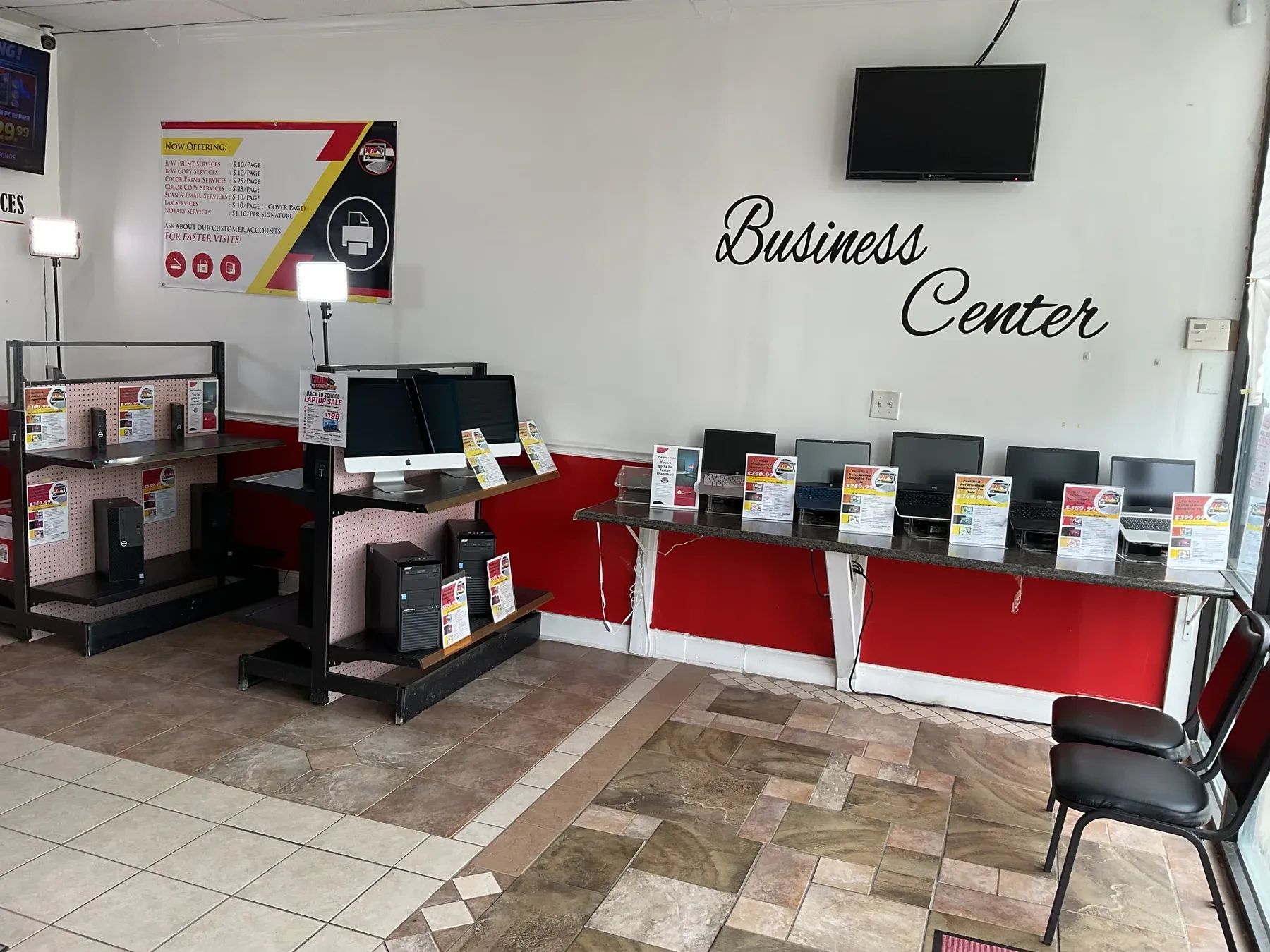
Computers displayed for sale inside the 1010Computers McDonough showroom

Local computer sales

Find a computer that fits your needs

Looking for a computer for home, school, or work? Call our McDonough team to discuss your needs and confirm current availability, specifications, condition, price, and warranty details before visiting.

Confirm availability

Ask about current availability

No computers are currently listed online

Contact the repair center for current availability. Tell us what you need your computer to do and your budget so we can discuss suitable options. Online listings do not represent a promise of in-store stock.

Before you visit

Get the details that matter to you

Call 404-585-6253 to ask about current computer options and confirm the details of a specific system.

  1. 1
    Tell us how you will use it

    Share your budget, software needs, and whether you prefer a laptop or desktop.

  2. 2
    Review the system details

    Ask about specifications, condition, price, included accessories, and the applicable warranty.

  3. 3
    Confirm before traveling

    Availability can change. Confirm the specific computer with our team before your visit.

Complete published information

Current computer inventory and purchasing information

Ask our team about laptops, desktop computers, and Apple computers for home, school, or business use. Confirm the specifications, condition, price, warranty, and availability of any system you are considering.

Inventory may change before the catalog refreshes. Contact the McDonough repair center to confirm a specific computer before traveling or making a purchase decision.

Ready when you are

Start with the technology problem in front of you.

404-585-6253

Start service

Choose the right service path

Your selected time is your in-store appointment

Complete the RepairShopr booking form after choosing a time. The appointment and contact details are saved as a RepairShopr Lead so the team can find the visit when you arrive and begin customer-account and ticket entry faster.

Choose an In-Store Appointment Time

Current limitation: the hosted booking form records the selected time and contact information, but it does not currently ask for device or issue details. Please have that information ready at check-in.